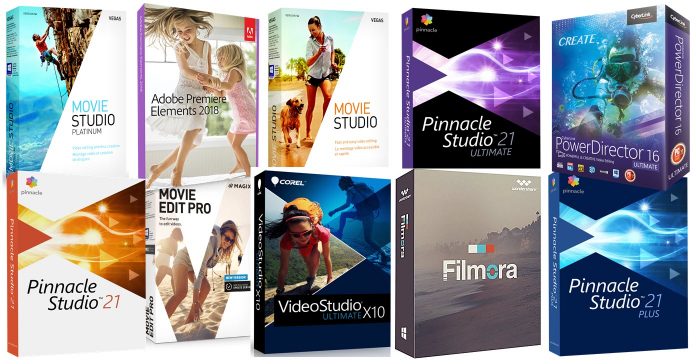
Answering the question as to which is the best video editing software is a difficult task given that everyone will have different requirements as to what they want that software to do.
So at a bare minimum here’s how I see the answer to that question.
What is the Best Video Editing Software?
- Imports files from a wide range of devices and sources into a flexible library system for effective file organization.
- An intuitive user interface that matches the user’s skill set providing easy access to all features.
- Efficient editing and compatibility with a wide range of digital file types.
- Effects, transitions and correction tools depending on user requirements.
- Renders to all common video files types for distribution or playback.
So with that in mind, these are my current (2025) choices for the best video editing software solutions at the consumer or home user level through to prosumer.
A more comprehensive review for each one can be found by following the links next to each one or just look to the menu on the right of the page for a link.
The order in which they are presented is based on my own experience in both using and reviewing each one on a standard “run of the mill” Win 10 computer that I also use for other things.
In other words, not a single purpose computer used for editing or testing software but more likely a computer that looks a lot like yours… although I hope for your sake it is not as messy!
I have also included lower on the page, my recommendations for easiest to use video editing software although there are some other choices for easy video editing software here
If you are looking for best prosumer product at a reasonable price then Magix Video Pro X is my choice and you can read about it here: Filmora Review – CapCut Review
Finally if you are looking for a great video editor for Mac then take a look at these pages:
Obviously there are many other brands of video editing software out there and maybe the one you are looking at is not here.
It is not my goal to complicate the selection process for the best video editor for you any more than it already is so I have only included those ones I feel very confident in recommending.
What I do know is that within the software on this page you can get an excellent video editor to suit your needs and the differences between all of them are quite small.
I don’t mean to go on and on about it (OK, I do mean to go on and on) but please… use the free trials.
————————————————————–
#1 CyberLink PowerDirector 2025 / 365
Cyberlink PowerDirector 2025 / 365 was recently released and has continued to build on the success of the previous versions although it must be noted that the 365 version updates pretty much continuously.
It remains the fastest kid on the block when to comes to rendering time and its ability to scrub through the timeline even when dealing with new highly compressed high definition video formats.
It’s overall speed and computer resource management abilities remain unmatched.
This year they have added a range of A.I. driven modules to make editing faster and easier.
On top of that it is equipped to handle 360 degree footage “end-to-end
The best video editing software at a glance
Best professional video editing software for cross-platform video editing
ADOBE Premiere Pro(Windows, Mac)
Premiere Pro pros:
- One of the most powerful video editors on the market
- Includes AI-powered tools like color match, audio enhancement, and text-based editing
- Integrates with Adobe’s other apps
Premiere Pro cons:
- Expensive and requires a monthly or annual subscription
- A complex tool to master
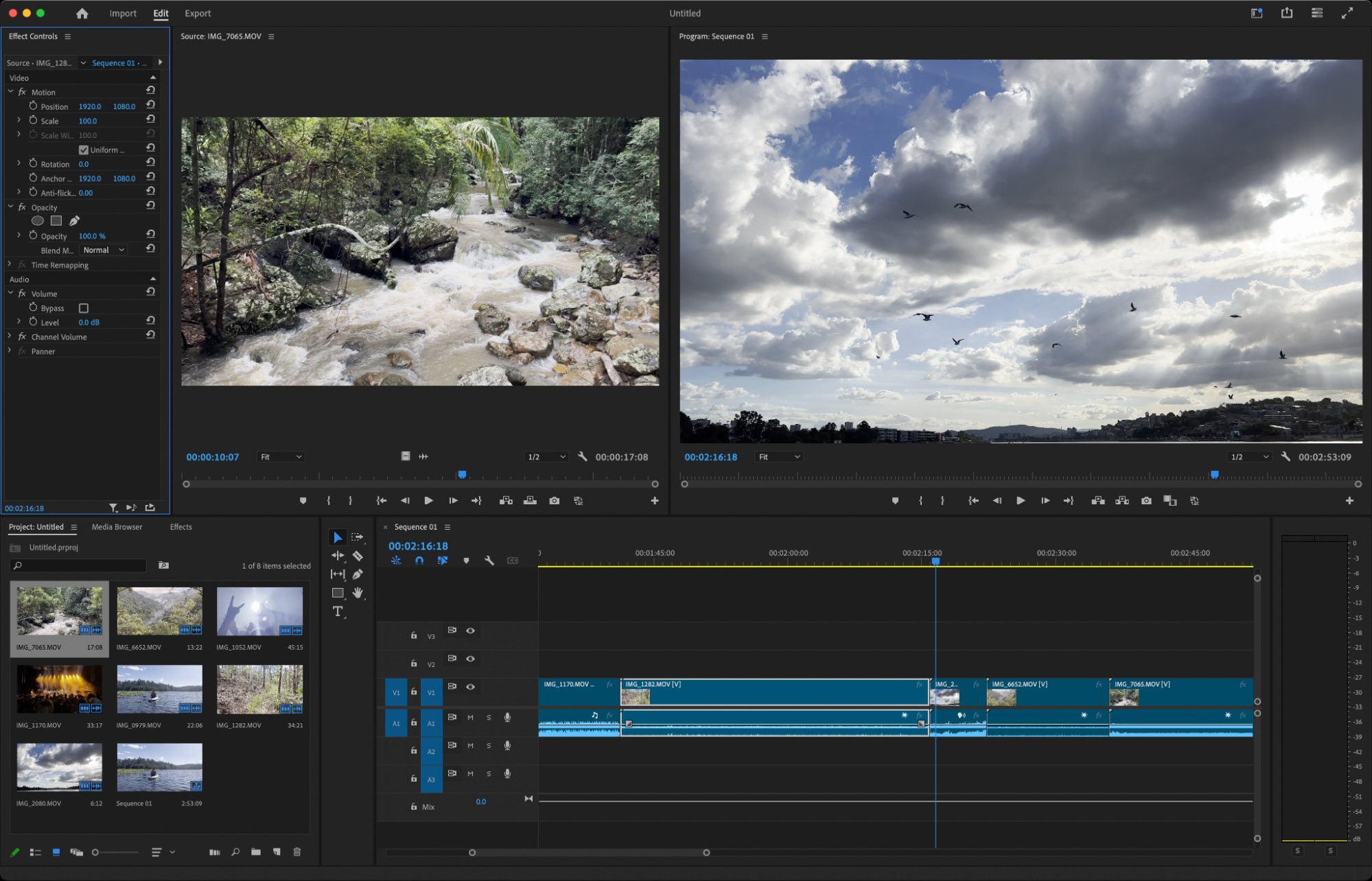
Adobe Premiere Pro is an industry-standard video editing tool from a company that specializes in creative applications like Photoshop and After Effects. It’s a highly versatile tool that includes everything for crafting basic edits to more advanced tasks like color grading, chroma keying, and object-tracking.
The basic editing tools are fairly straightforward, and Premiere Pro manages to maintain a clean and uncluttered interface. This makes learning to perform simple edits relatively easy, and Adobe includes a useful in-app tutorial that walks you through the process when you first install it.
Having said that, many of the more complex functions do require some digging. For example, you can apply object tracking to your clips automatically or manually. Going the automatic route lets Premiere Pro analyze and generate keyframes that you can tidy up later. To do this, you’ll need to learn how to create a new sequence from a clip and draw a mask. Other forms of tracking involve customizing the interface to show the tools you’ll need to use. (If you don’t know what any of this means, you almost definitely don’t need Premiere Pro.)
The good news: Premiere Pro’s popularity means that there’s plenty of help at hand. Adobe includes training materials and an exhaustive manual, or you can learn as you go by searching for videos and articles whenever you run into trouble. Adobe is also leaning into AI-powered features like automatic tagging of incoming audio files. And after you add dialogue to your project, you can use the Essential Sound panel to quickly run the Enhance Speech plugin, both new features in 2024.
Premiere Pro is powerful and exhaustive, but that’s reflected in the price and subscription model. If you don’t need everything that Adobe provides, you’ll be better off opting for something cheaper instead.
Adobe Premiere Pro price: $21.99/month (billed annually) or $34.49/month (billed monthly); 7-day free trial available.
If you use Adobe Creative Cloud Libraries, you can automate your video production workflows by Automatically upload files to Adobe Creative Cloud Libraries, send notifications when assets are ready, and create tasks based on new elements.
Price: Free
*Premium subscription available for $4.58/month
PowerDirector is a comprehensive free video editor with all the tools, features, and special effects you need to craft a studio-quality video from your desktop or laptop computer. This program goes above and beyond other free video editing software, delivering professional tools in a beginner-friendly package.
I was impressed by its intuitive design, which allowed me to easily navigate the software and start crafting Hollywood-level films. The AI-powered effects, like object detection and motion tracking, were game-changers, saving me time and enhancing my footage significantly. The speech-to-text feature made adding subtitles effortless, while the generative AI tools sparked my creativity when I felt stuck.
Once you finish perfecting your videos with Power dirctor you can upgrade to the paid version and export your video without watermarks. PowerDirector’s impressive range of features and easy navigation make it the best free video editor.
Download and install PowerDirector for free below to try this dynamic editing program for yourself.
- shotcut
- VideoPad Video Editor